Cinematic Titles: Crafting Hollywood-Grade Typography
There is a distinct feeling you get when the lights dim in a theater and the title card for a major blockbuster slams onto the screen. It isn't just about the words themselves; it is about the weight they carry. That heavy, metallic sheen, the way the light catches the beveled edges, and the sheer scale of the typography create an immediate sense of gravity. For designers and content creators, replicating that level of production value has traditionally required advanced 3D modeling skills or expensive software plugins. However, the landscape of design assets has shifted, bringing studio-quality effects directly into the hands of those working with standard tools like Adobe Photoshop.
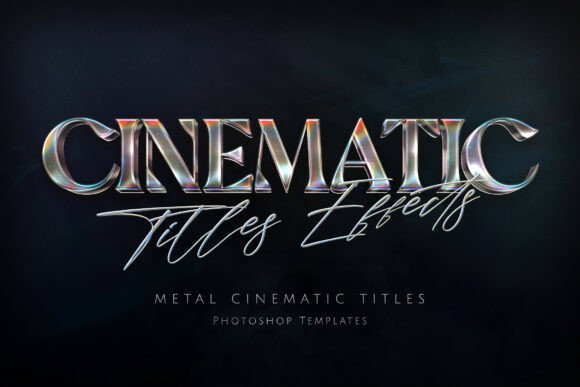
The Cinematic Titles Text Effect represents a bridge between amateur design and professional post-production. It is a specialized collection of templates designed to transform standard text and logos into heavy, dramatic silver-screen visuals. If you are working on a project that demands a mythic, aggressive, or high-gloss aesthetic, understanding how to leverage these types of design assets is crucial. This isn't just about making text look "cool"; it is about communicating a specific brand promise—quality, intensity, and professionalism—through visual texture alone.
The Visual Anatomy of a Blockbuster Aesthetic
What makes a title look "cinematic"? It is rarely just a standard serif or sans-serif font. The magic lies in the material simulation. The Cinematic Titles Text Effect focuses on three-dimensional metallic textures that mimic polished, forged steel or chrome. This tactile quality gives the typography a physical presence, making it look as though it could be cast in bronze and mounted on a studio wall.
However, texture is only half the battle. Lighting is what sells the realism. This particular effect utilizes realistic light reflections, including high-fidelity bevels that catch anamorphic lens flares. You often see this in movie posters where the light streaks horizontally across the frame. When applied to text, it grounds the letters in a photorealistic environment. Furthermore, the inclusion of colorful iridescent chrome sheens and cosmic dust textures adds depth and complexity. Instead of a flat, static gray, you get a dynamic surface that reacts to the environment. Because these templates are rendered at a high resolution (typically 4500 x 3000 px), the result is razor-sharp. This ensures that whether you are designing for a massive print poster or a compressed YouTube thumbnail, the integrity of the design remains intact.
Beyond the Movie Poster: Practical Applications for Modern Creators
While the name implies film usage, the utility of a heavy, metallic text effect extends far beyond movie trailers. In the current digital ecosystem, grabbing attention requires visual distinctiveness. Here is how different industries can apply these templates to solve specific branding challenges:
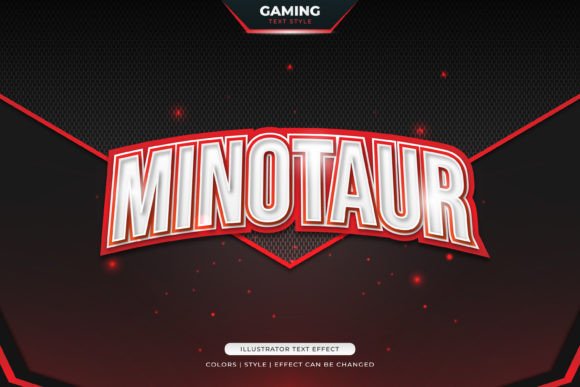
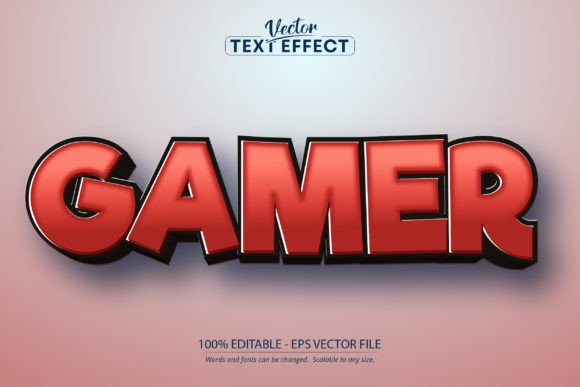
Gaming and Streaming Culture: The gaming community gravitates toward high-contrast, aggressive graphics. If you are designing a guild emblem, a Twitch overlay, or a header for a gaming channel, the "mythic" feel of forged metal typography instantly establishes authority. It suggests power and competition, aligning perfectly with the genre.
Editorial and Book Design: For authors and publishers in the sci-fi, fantasy, or thriller genres, the cover art is the primary sales tool. A flat, digital-looking title can cheapen the perception of the story. Using a premium font treatment that simulates chrome or steel fits the tropes of these genres, promising the reader a high-stakes, immersive experience.
Merchandise and Streetwear: Graphic design for apparel often relies on aggressive, eye-catching typography. Whether you are designing band merchandise or a streetwear lookbook, metallic textures convey durability and edge. They translate well to screen printing and embroidery mockups, giving clients a clear vision of the final product.
Digital Marketing and Social Media: On platforms like Instagram or YouTube, you have milliseconds to stop a user from scrolling. A standard text overlay often blends into the noise. A textured, light-reflecting title creates a focal point that demands attention, increasing click-through rates for video essays, movie reviews, or product launches.
Integrating Heavy Typography into Your Brand Identity
Using a Cinematic Titles Text Effect is not just about decoration; it is a strategic branding decision. When you use a specific style of typography consistently, you build visual equity. If your brand identity is built around strength, luxury, or technology, a chrome or metallic serif font can become a cornerstone of your visual language.
However, readability must remain a priority. Heavy display fonts with complex textures are best used for headlines, logos, and hero images. They are not designed for body copy. The intricate details of the bevels and lens flares can become muddy and difficult to read at small sizes. Therefore, the key to a successful design is pairing. You need to balance the dramatic flair of the cinematic title with a clean, legible sans-serif or sans serif font for your supporting text. This contrast creates a hierarchy that guides the viewer’s eye from the dramatic hook to the necessary information.
When selecting your style from the included PSD files, consider the mood of your project. A polished chrome look suggests modernity and precision, ideal for tech startups or automotive brands. A darker, more textured metal with cosmic dust might suit a music festival or a horror-themed event. The versatility of a well-made template allows you to adjust colors and lighting to match your specific color palette, ensuring the effect serves the brand rather than overpowering it.
Streamlining the Workflow: From Template to Final Asset
One of the biggest hurdles in design is time. Creating a 3D metallic text effect from scratch in Photoshop requires a deep understanding of layer styles, lighting angles, and smart objects. It can take hours to get the reflections looking natural. This is where premium design assets prove their worth.
By utilizing a collection of pre-built templates, you bypass the technical heavy lifting. The workflow becomes intuitive: you open the PSD file, locate the smart object layer, paste your text or logo, and save. The file automatically applies the complex lighting, texture, and depth to your input. This efficiency allows you to focus on the creative direction rather than the technical execution.
For those working on commercial projects, this consistency is vital. If you are creating a series of YouTube thumbnails or a set of social media graphics for a campaign, you need every asset to look cohesive. Using the same template base ensures that the lighting direction and metallic sheen remain uniform across all platforms, reinforcing brand recognition.
Final Thoughts on Visual Impact
In a saturated market, the details matter. The difference between a design that looks "homemade" and one that looks "professional" often lies in the treatment of typography. A flat, uninspired title can undermine the quality of your content, no matter how good the underlying message is. Conversely, a title that carries the weight of polished metal and the intrigue of cinematic lighting elevates the entire project.
Whether you are a small business owner looking to launch a product with impact, a streamer wanting to upgrade your channel branding, or a designer seeking to add high-quality assets to your toolkit, investing in high-end text effects is a practical move. It bridges the gap between your vision and your technical capability, allowing you to produce visuals that resonate with a modern audience accustomed to high-production-value media. By focusing on quality textures and realistic lighting, you ensure your message isn't just seen—it is felt.